After MCP and Skills, TalkCody Completes the Universal Agent Puzzle with Custom Interaction UI
Why universal agents are missing a key interaction puzzle piece, and how TalkCody uses Custom Tools to turn "intermediate UI" into a first-class capability.
The universal agent capability puzzle has gained many important pieces over the past two years: MCP has standardized tool integration, and Skills have made knowledge and processes reusable. However, truly complex tasks often require "intermediate interaction" rather than just waiting for the final result. TalkCody fills this gap with Custom Tools: making the tool execution process itself customizable with UI, thereby evolving agents from "tools callers" to "collaborative partners."
Below, I'll break this down by examining the architecture, pain points, implementation, and combined strategies.
1. Components of Agent UI: Intermediate Tool Interaction UI + Result UI
From a user perspective, Agent UI actually contains two layers:
- Intermediate Tool Interaction UI: During tool execution, providing prompts, confirmations, parameter completion, form selection, and step feedback to users.
- Result UI: After tool execution completes, outputting results in forms like Markdown, tables, flowcharts, PDFs, web pages, PPTs, etc.
Result UI is widely available in the industry (Markdown/report cards/tables, etc.). What's truly scarce is "Intermediate Tool Interaction UI": When a tool is executing or needs user intervention, can it display visual, interactive components? This happens to be one of the core capabilities and advantages of TalkCody's Custom Tool: providing fully custom UI rendering capabilities through renderToolDoing and renderToolResult, rather than just text prompts.
2. Why Skills and MCP Still Struggle with Custom Interaction UI
From a strategic standpoint, Skills and MCP address "capability integration" and "knowledge reuse," but not "interaction rendering."
- MCP is an open protocol connecting external tools and data sources, focusing on "standardized tool integration and calling." Its core is protocol-layer interoperability, not UI rendering specifications. TalkCody's documentation clearly states: MCP servers are external tools and still don't have UI customization capabilities. TalkCody's MCP server documentation explains this in detail.
- Skills are portable "encapsulations of knowledge and processes," more like SOPs plus resource collections, without emphasizing structured parameters or interactive UI. TalkCody's Skills documentation further elaborates on this.
At the industry level, protocols for interactive Agent UI are emerging but remain in the "early standardization" phase. For example, MCP Apps Extension and MCP-UI are still in the proposal or extension phases, and AG-UI is also advancing event-driven UI protocols. These indicate that "interactive UI" is the direction, but it's still far from "universally available and built into the Agent ecosystem." See references:
- MCP Apps Extension Proposal (Model Context Protocol Blog)
- MCP-UI Project Introduction
- AG-UI Overview
Therefore, Skills and MCP address "what can be done," but not "how to interact during the process." This is precisely the core problem that Custom Tools aim to solve.
3. How TalkCody Implements Custom Interaction UI Through Custom Tools
TalkCody's Custom Tool isn't just "writing a tool function"—it treats "execution logic + UI rendering + permission control + parameter validation" as a complete capability.
Key points:
-
Built-in UI Rendering Capability
- Custom Tools can define
renderToolDoingandrenderToolResult, rendering "during execution" and "after execution" UI respectively. - This enables displaying interactive components like forms, progress, branch selection, and parameter confirmation during tool execution.
- Custom Tools can define
-
Structured Parameters + Zod Validation
- Custom Tools use Zod schemas to define parameter structure, avoiding natural language ambiguity.
-
Permissions and Sandboxes
- Custom Tools support
fs/net/commandpermission declarations, controlled through sandbox in Playground.
- Custom Tools support
-
Tool Registration and UI Adaptation
- Custom Tools are adapted to
ToolWithUItype, ensuring UI rendering is uniformly handled by the frontend (for example, the call chain ofrenderToolDoing/renderToolResult).
- Custom Tools are adapted to
In other words, TalkCody treats "tool interaction UI" as part of the tool definition, not an afterthought or UI hack. This is the key to truly implementing "intermediate interaction UI."
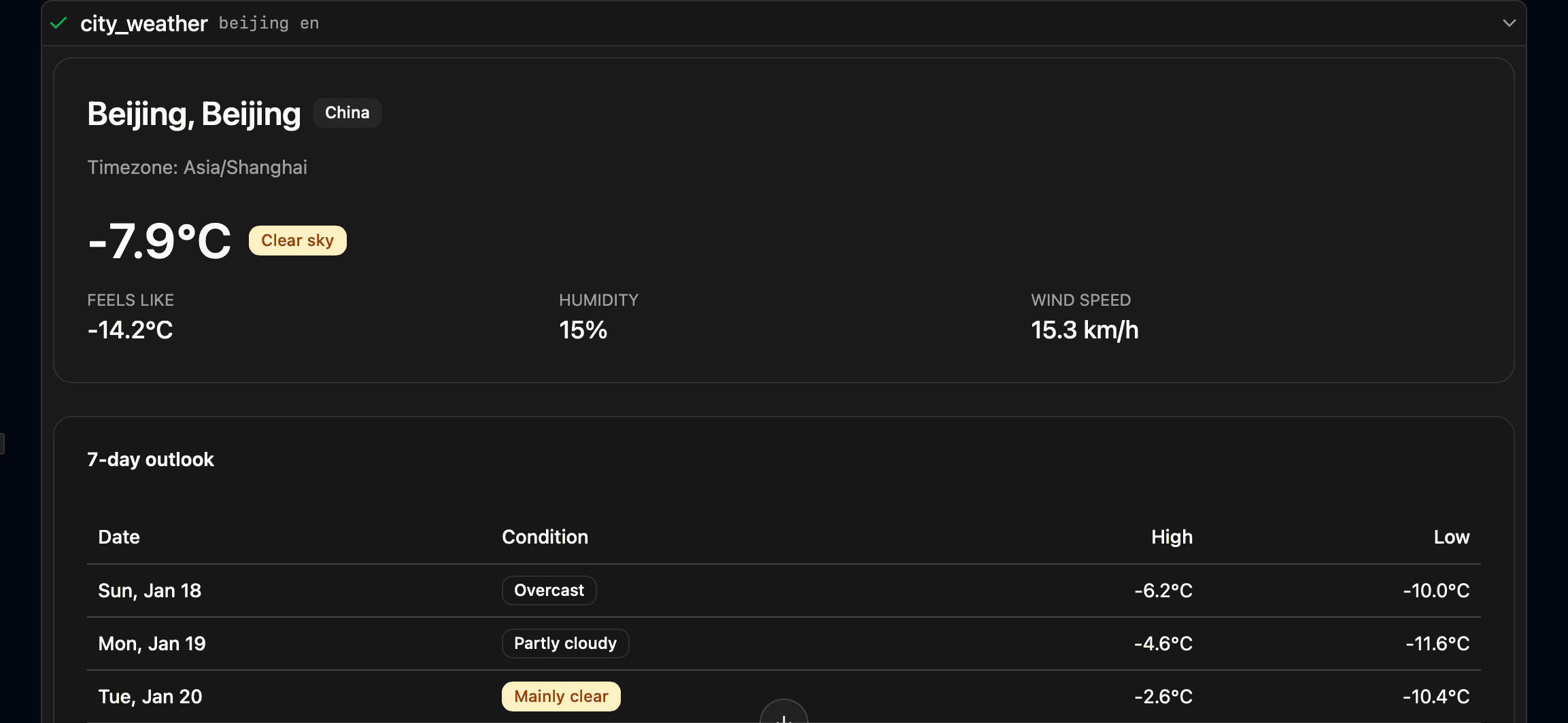
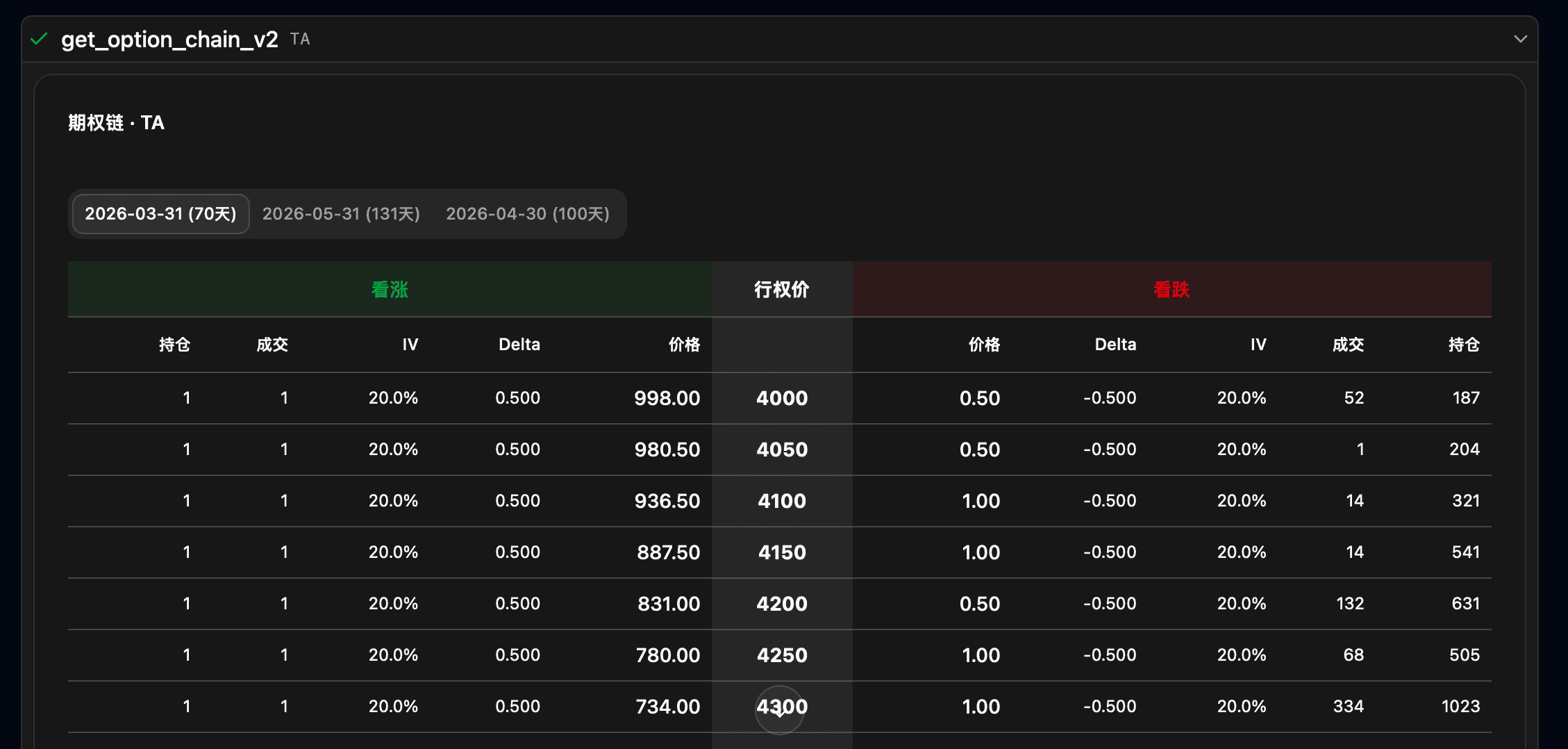
Two UI examples of custom tools:
4. Custom Agent vs Agent Skills: When to Use Which?
TalkCody positions Agents and Skills at different levels:
- Custom Agent: A "role-level" definition, including system prompts, tool sets, default models, rules, etc., suitable for forming a complete professional role.
- Agent Skills: "Capability-level" reuse, packaging SOPs, templates, and scripts into reusable capabilities without altering the Agent's overall identity or tool set.
When to use Custom Agent?
- You need a "long-term stable professional role," for example: security auditor, test generator, product PRD writer.
- You need independent models, tool sets, and permission boundaries (e.g., write permission vs read-only permission).
- Tasks require continuous dialogue, multi-step planning, and fixed output formats.
When to use Skills?
- You only want to inject certain processes or knowledge fragments and reuse them across multiple Agents.
- You want "composable capabilities," like sharing the same risk control SOP or code standards across different Agents.
- You don't need to change the Agent's role or tool boundaries, only supplement context.
Skills are more like "plugin capability packages," while Agents are more like "dedicated roles." Combining both represents the efficient engineering path.
5. How TalkCody Implements Any AI Agent Based on Custom Agent + Custom Tool + MCP + Skills
The ultimate universal agent isn't a single capability—it's a combination:
- Custom Agent defines role and collaboration boundaries (models, rules, tool sets).
- Custom Tool provides core capabilities with deeply interactive UI, making complex processes visible, confirmable, and correctable within conversations.
- MCP handles connecting to external real-world systems (databases, ticketing systems, CRM, CI/CD).
- Skills handles accumulating processes, templates, and organizational knowledge.
With these four combined, TalkCody can implement "any AI Agent":
- For data analysis: MCP pulls data, Custom Tool displays tables/charts, and Skills execute company statistical SOPs.
- For operational processes: Custom Agent defines roles, Custom Tool handles approval interactions, and MCP writes back to ticketing systems.
- For complex R&D tasks: Agents handle planning and execution, Custom Tool provides review/confirmation UI, and Skills supply engineering standards.
Conclusion: MCP and Skills address "integration capabilities" and "knowledge accumulation," Custom Tool addresses "interaction interfaces," and Custom Agent handles "role organization." With these four pieces in place, TalkCody truly embarks on the journey to "Universal AI Agent."