Multi-Window
Open multiple project windows simultaneously to improve multitasking efficiency
How to Open a New Window
UI Operation
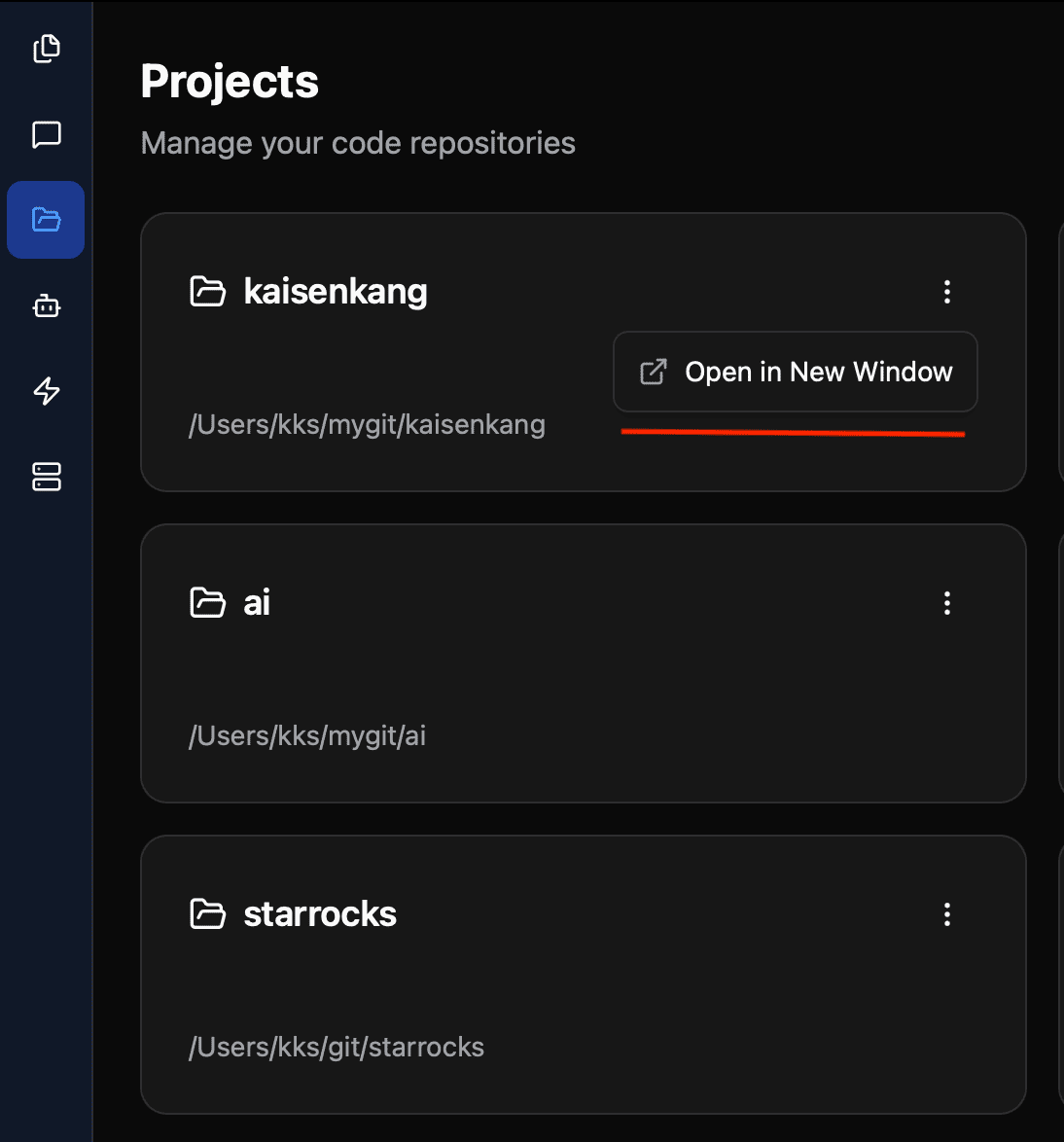
- Go to the project list page
- Click the more menu (three dots icon) in the top right corner of the target project card
- Select Open in New Window
Keyboard Shortcut
| Platform | Shortcut |
|---|---|
| macOS | Cmd + Shift + N |
| Windows/Linux | Ctrl + Shift + N |
Use Cases
The multi-window feature is particularly useful in these scenarios:
Working on Multiple Projects
Open different projects in separate windows without frequent switching. Each window runs independently.
Cross-Project Code Comparison
Place two windows side by side to easily compare code implementations across different projects.
Multi-Monitor Workflow
Assign different project windows to different monitors to make full use of your screen space.