Plan Mode
Let AI create a plan before execution and wait for your approval
What is Plan Mode?
Plan Mode is a working mode that lets AI create a detailed plan before executing tasks.
In Plan Mode, AI will:
- Gather Information - Use read-only tools to analyze code and requirements
- Create Plan - Draft a detailed implementation approach
- Wait for Approval - Present the plan for your review
- Execute Task - Only start modifying files after you approve
When to Use Plan Mode?
Plan Mode is suitable for the following scenarios:
- Complex Tasks - Changes involving multiple files or multiple steps
- Important Changes - Situations requiring plan review before execution
- Learning Purpose - Understanding how AI analyzes and solves problems
How to Enable Plan Mode
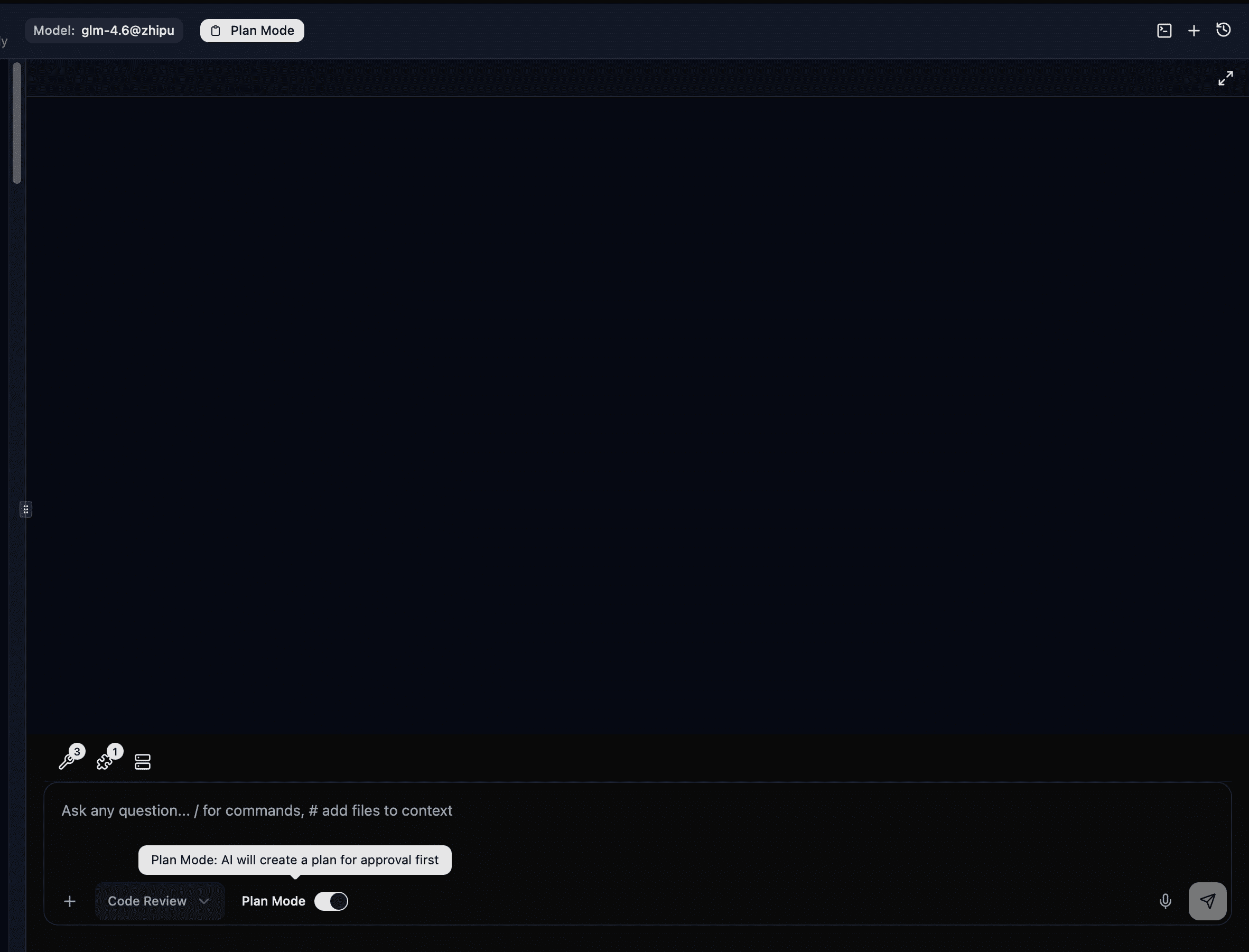
In the toolbar below the chat input, find the Plan Mode toggle:
- Enabled: AI will create a plan and wait for your approval first
- Disabled: AI will execute tasks directly (Act Mode)
Reviewing Plans
When AI completes a plan, you'll see a plan review card with three options:
| Action | Description |
|---|---|
| Approve | Approve the plan, AI starts execution |
| Edit | Edit the plan content before approving |
| Reject | Reject the plan, you can provide improvement suggestions |
After approving the plan, Plan Mode will automatically turn off and AI begins execution.