
Tools
Tools are built-in capabilities for AI agents to perform specific actions, such as reading and writing files, searching code, and executing commands.
What is a Tool?
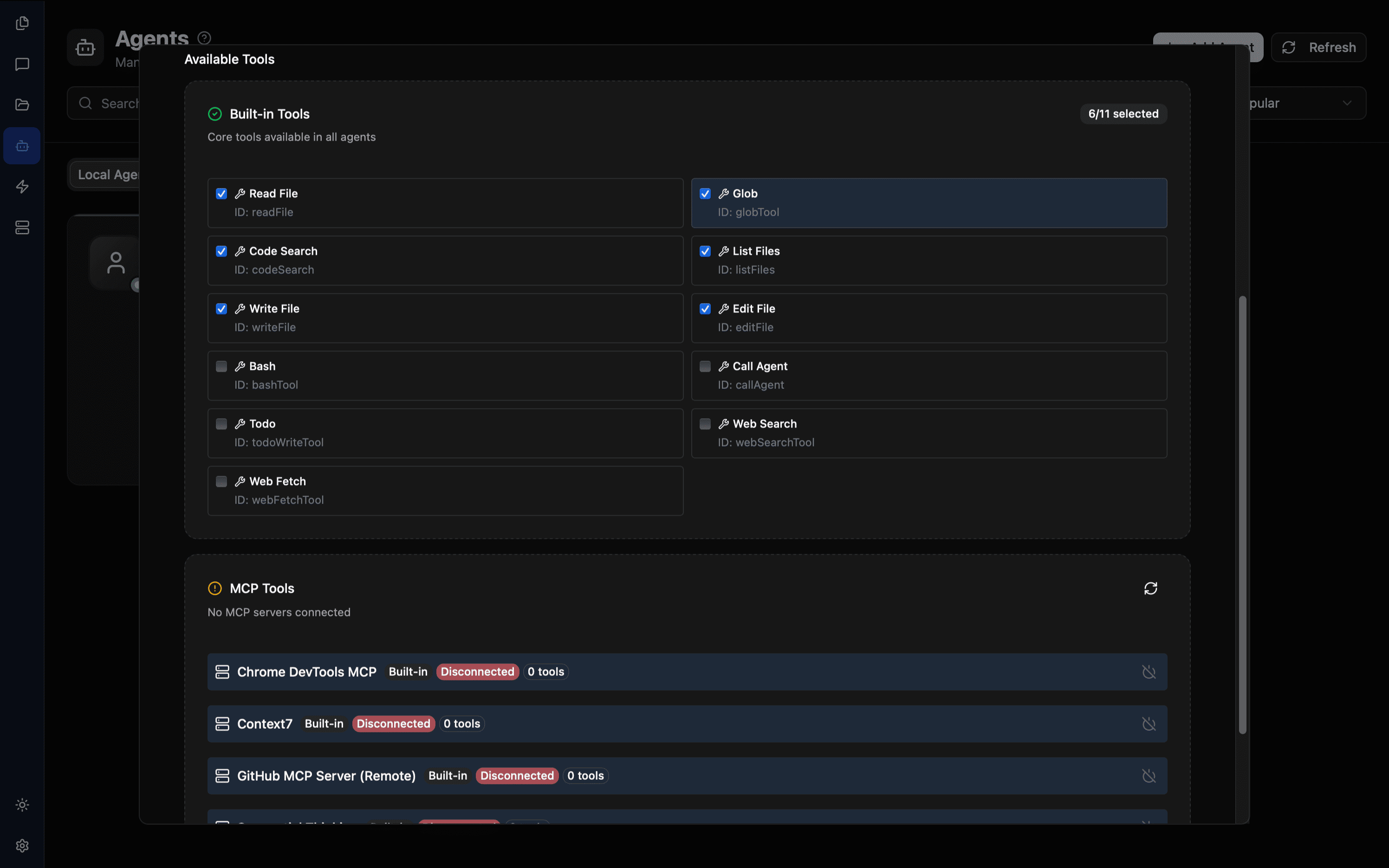
A Tool is a predefined functional module that allows agents to interact with external systems:
- File system operations
- Codebase searching
- Network requests
- Command execution
Without Tools, agents can only have text conversations. With Tools, agents can truly help you complete tasks.
Built-in Tool List
File Operations
| Tool | Function | Description |
|---|---|---|
| Read File | Read file content | View code, configuration files |
| Write File | Create new files | Generate code, configurations |
| Edit File | Modify existing files | Update code, fix issues |
Search Tools
| Tool | Function | Description |
|---|---|---|
| Code Search | Full-text search codebase | Precise code pattern matching |
| Glob | Wildcard file matching | Batch process files |
Execution Tools
| Tool | Function | Description |
|---|---|---|
| Bash | Execute terminal commands | Run scripts, install dependencies |
Network Tools
| Web Fetch | Fetch web page content | Check documentation, APIs | | Web Search | Search the internet | Find solutions |
Other Tools
| Tool | Function | Description |
|---|---|---|
| Call Agent | Call other agents | Collaborate on complex tasks |
| Todo Write | Manage task lists | Track task progress |
| Ask User | Ask user questions | Confirm critical decisions |
How to Use
View Current Tools
- Click the Tools icon (wrench icon) in the chat interface
- View the list of enabled tools
- The number badge shows the enabled count
Temporarily Adjust Tools
Temporarily enable or disable tools during a conversation:
- Click the Tools icon to open the panel
- Check/uncheck tools
- Modifications only apply to the current session
- Click Reset to restore defaults
Temporary modifications are not saved after app restart. After restart, the agent's default tool configuration will be used.
Tool Permission Control
Principle of Least Privilege
When configuring tools for agents, grant only necessary permissions:
Code Reviewer Agent:
✅ Read File (needs to read code)
✅ Code Search (needs to search patterns)
❌ Write File (only reviews, doesn't modify)
❌ Bash (doesn't need to execute commands)
Difference from MCP Tools
| Feature | Built-in Tools | MCP Tools |
|---|---|---|
| Source | Pre-installed in TalkCody | Provided by external servers |
| Type | General operations | Professional integrations |
| Configuration | Ready out of the box | Requires server configuration |
| Extensibility | Fixed functionality | Unlimited extension |