
Skills
Skills are pre-configured knowledge and skill packages that provide AI agents with specialized capabilities in specific domains.
What is a Skill?
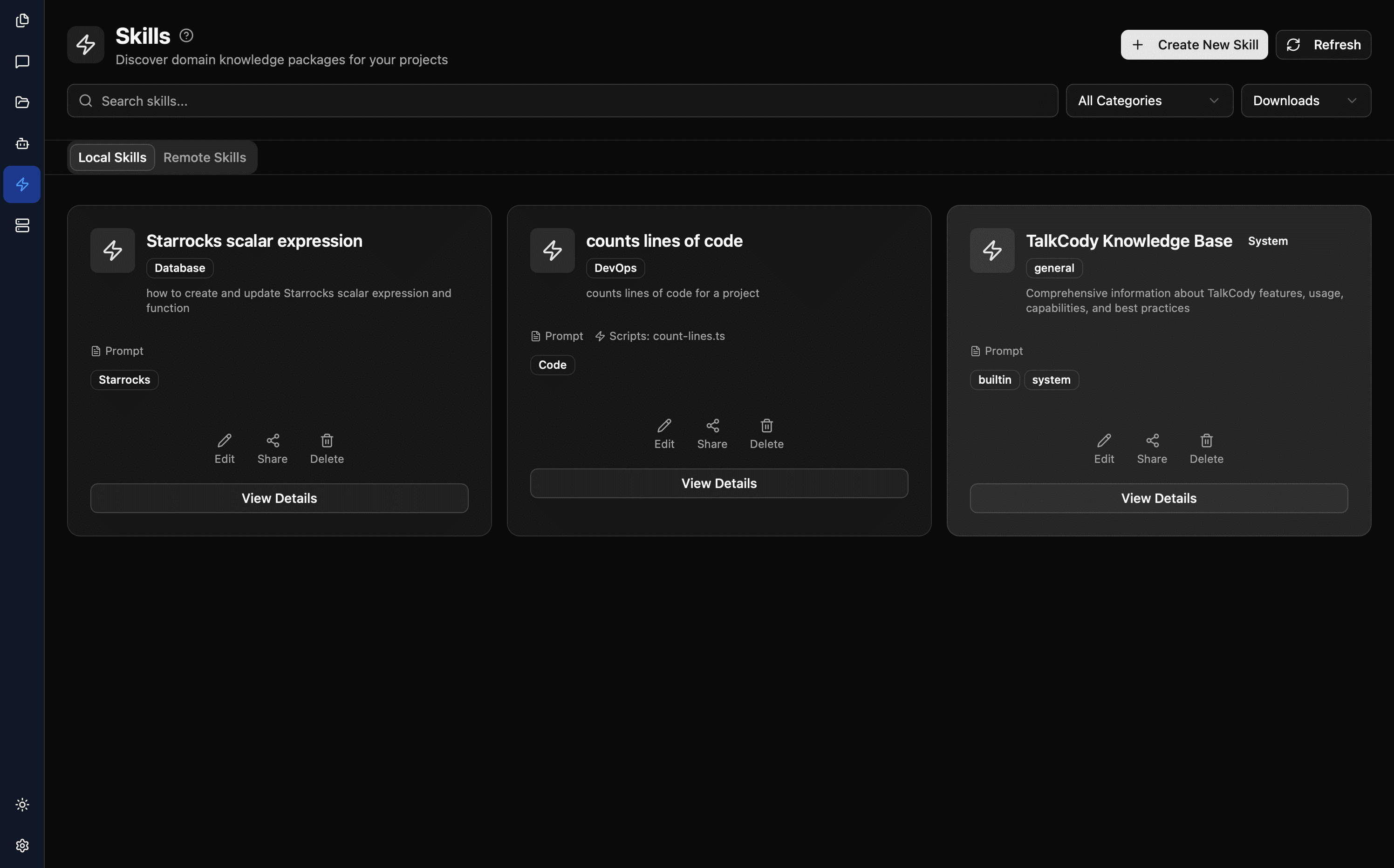
A Skill contains:
- System Prompt Snippets: Behavior instructions injected into the agent
- Workflow Rules: Execution steps for specific tasks
- Reference Documentation: Domain knowledge and best practices
- Executable Scripts: Automation for common tasks
By activating different Skills, agents can quickly acquire specialized capabilities in specific domains.
TalkCody Skills fully comply with the Agent Skills Specification standard.
Agent Skills Standard
TalkCody's Skills system is based on the Agent Skills Specification, an open industry standard that defines a universal format for AI agent skills.
Standard Directory Structure
skill-name/
├── SKILL.md          # Required: skill definition and description
├── scripts/          # Optional: executable scripts
│   ├── setup.py
│   └── analyze.sh
├── references/       # Optional: detailed reference documentation
│   ├── REFERENCE.md
│   └── api-guide.md
└── assets/           # Optional: static resources
    ├── template.json
    └── diagram.svg
Interoperability
Because it fully complies with the standard, TalkCody can:
- ✅ Import Skills from other tools (such as Claude Code Skills)
- ✅ Export Skills for use in other tools
- ✅ Share Skill repositories with tools that support this standard
Use Cases
- Database Development: SQL syntax, query optimization, database design
- Code Review: Coding standards, security checks, performance analysis
- Documentation Writing: API docs, technical specs, user guides
- Test Development: Unit testing, integration testing, test strategies
How to Use
Activate a Skill
- Click the Skills icon (puzzle icon) in the chat interface
- Select the desired Skill from the list
- The selected Skill is automatically applied to the current conversation
Install Skills
Install from Marketplace
- Go to the Skills page
- Check the "Remote Skills" tab
- Click Install to download the desired Skill
Import from GitHub
TalkCody supports direct import of standard-format Skills from GitHub.
Import a Single Skill
- Click Import from GitHub on the Skills page
- Enter the GitHub URL of a single Skill directory, for example:
https://github.com/anthropics/skills/tree/main/skills/canvas-design - Click Scan to scan
- Click Import to import after confirmation
Batch Import Skills
- Click Import from GitHub on the Skills page
- Enter the directory URL containing multiple Skills, for example:
https://github.com/anthropics/skills/tree/main/skills - Click Scan to scan all subdirectories
- Select the Skills you want to import
- Click Import to batch import
The import feature automatically recognizes directory types:
- If a directory contains a
SKILL.mdfile, it will be imported as a single Skill - If a directory contains multiple subdirectories, it will scan all subdirectories and batch import Skills that meet the standard
Manage Skills
View Installed Skills
- Go to the Skills page
- Check the "Local Skills" tab
Create Custom Skill
- Click Create New Skill
- Fill in name and description
- Write system prompt snippet
- Add workflow rules (optional)
- Save
Edit Skills
- Find the Skill you want to edit in the Local Skills list
- Click the edit button to modify content
- Save changes
Created Skills automatically comply with the Agent Skills Specification standard and can be exported for use in other tools.
Relationship with Agents
Differences between Skills and Agents:
| Feature | Skills | Agents |
|---|---|---|
| Purpose | Knowledge enhancement | Complete assistant |
| Configuration | Prompt snippets | Full system prompt |
| Switching | Can activate multiple simultaneously | Use one at a time |
| Applicability | Specific domain knowledge | Specific task workflows |
An Agent can use multiple Skills simultaneously, gaining specialized capabilities across multiple domains.
Best Practices
Writing Skill Prompts
- Focus on a single domain
- Provide specific guidance
- Include example output formats
- Avoid conflicts with other Skills
Combined Usage
Scenario: Backend API Development

Activated Skills:
- REST API Design
- SQL Query Optimization
- API Security
- Error Handling