
MCP Servers
Extend TalkCody with Model Context Protocol integrations
What is MCP?
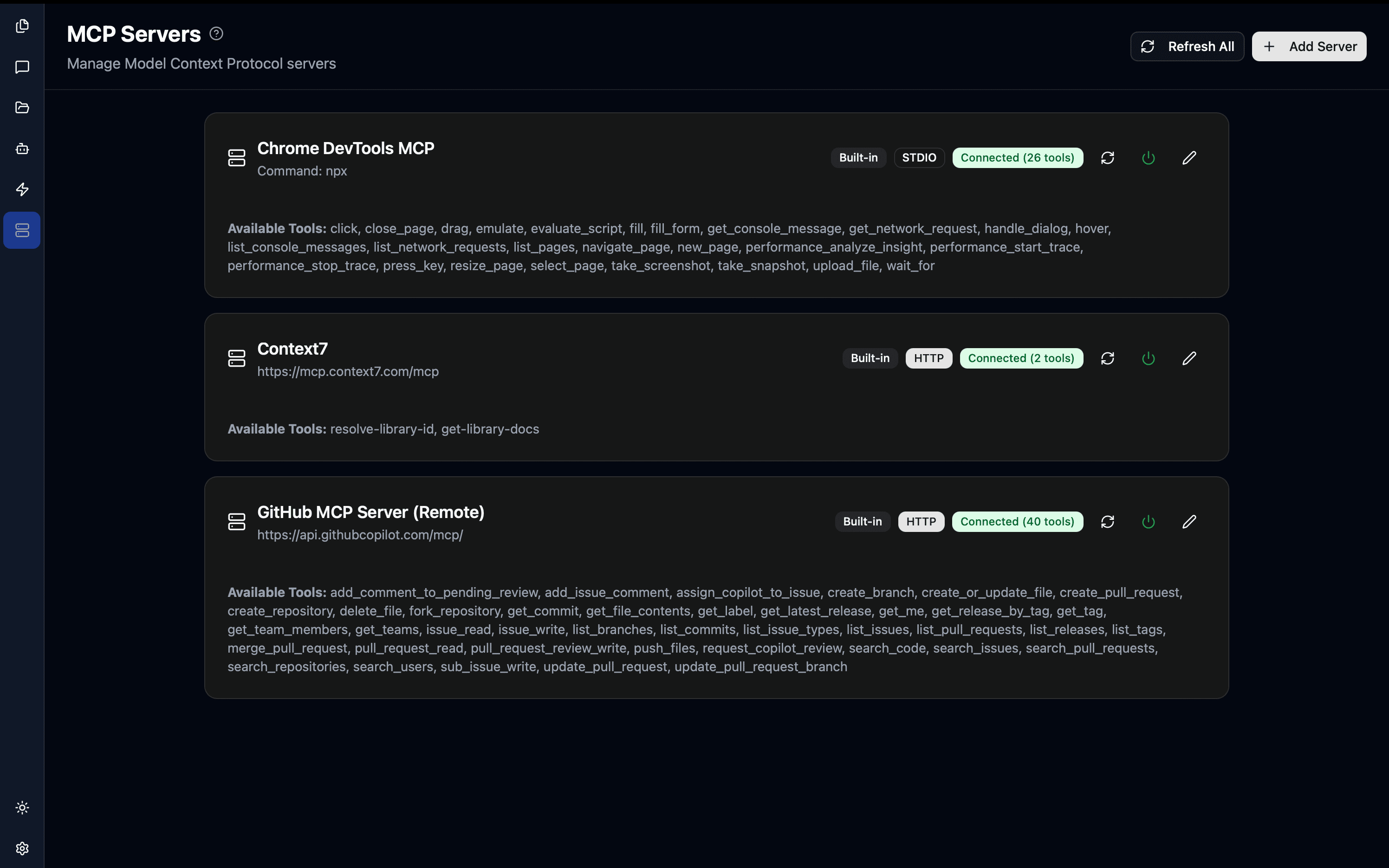
Model Context Protocol (MCP) is an open standard for connecting AI applications to external tools and data sources. It allows:
- Custom Tools: Add new capabilities beyond built-in tools
- External Data: Connect to databases, APIs, and services
- Specialized Functions: Integrate domain-specific functionality
- Third-Party Services: Use existing MCP servers from the community
MCP is developed by Anthropic and is supported by many AI tools and services. Learn more at modelcontextprotocol.io
How MCP Works
┌─────────────┐
│  TalkCody   │
│  (Client)   │
└──────┬──────┘
       │ MCP Protocol
       ├─────────────────┐
       │                 │
┌──────▼──────┐   ┌──────▼──────┐
│ MCP Server  │   │ MCP Server  │
│  (GitHub)   │   │ (Database)  │
└─────────────┘ └─────────────┘- TalkCody acts as an MCP client
- MCP Servers provide tools and resources
- AI Agents can use tools from connected servers
- Communication happens via standard MCP protocol
MCP Server Types
1. Stdio Servers
Run as local processes, communicate via stdin/stdout:
{
  "name": "filesystem",
  "type": "stdio",
  "command": "npx",
  "args": ["-y", "@modelcontextprotocol/server-filesystem", "/path/to/files"]
}
Use for: Local tools, file access, system integration
2. SSE Servers
Server-Sent Events for real-time communication:
{
  "name": "notifications",
  "type": "sse",
  "url": "http://localhost:3000/sse"
}
Use for: Real-time updates, streaming data, webhooks
3. HTTP Servers
Standard HTTP-based MCP servers:
{
  "name": "api-service",
  "type": "http",
  "url": "https://api.example.com/mcp",
  "headers": {
    "Authorization": "Bearer YOUR_TOKEN"
  }
}
Use for: Cloud services, remote APIs, hosted tools
Installing MCP Servers
Navigate to MCP Servers View
- Open TalkCody
- Click on the MCP Servers tab in the sidebar
- Click + Add Server
Configure Server Details
Basic Information:
- Name: Identifier for the server (e.g., "GitHub", "Postgres")
- Type: stdio, sse, or http
- Description: Optional notes about the server's purpose
Connection Settings:
- For stdio: Command and arguments
- For sse: Server URL
- For http: URL and optional headers
Test Connection
- Click Test Connection
- Verify the server responds correctly
- Check that tools are discovered
Enable for Agents
- Save the MCP server configuration
- Navigate to Agents view
- Edit an agent
- Enable MCP tools for that agent
Using MCP Tools in Conversations
Once an MCP server is configured, AI agents can use its tools:
Example: GitHub Issue Creation
User: Create a GitHub issue for the login bug we just discussed

AI: I'll create an issue in your repository.
[Uses GitHub MCP server]
[Creates issue with title and description]

Created issue #123: "Fix login authentication timeout"
Link: https://github.com/user/repo/issues/123
Example: Database Query
User: Show me users who signed up in the last week

AI: I'll query the database for recent users.
[Uses PostgreSQL MCP server]
[Executes: SELECT * FROM users WHERE created_at > NOW() - INTERVAL '7 days']

Found 47 users who signed up in the last 7 days:
- [email protected] (2024-10-20)
- [email protected] (2024-10-21)
...
Resources
MCP servers unlock unlimited potential for extending TalkCody. Start with official servers and explore custom integrations!